The trial is $3.99 for three days. If you do nothing, the plan continues at $39.99 per month. Cancel from your account before the trial ends and the monthly charge never happens.

3-day trial for $3.99
More free space.Fewer duplicates.
Secure Clean finds duplicate photos, near-identical shots, repeated contacts and files you no longer need, so your iPhone has room for what matters.
Clears storage · Sorts photos · Tidies contacts
-
Storage
Recover gigabytes
-
Contacts
Merge repeated entries
-
Photos
Spot look-alike shots
-
Privacy
Strip location data
Toolkit
Six tools, one app
Two of them are free from the first launch. The other four open with Premium.
-
Basic
Photo Cleanup
Groups near-identical shots, exact duplicates and old screenshots so you can clear them in one pass.
-
Basic
Contact Cleanup
Spots contacts saved twice, entries with no number and cards missing a name, then merges or removes them.
-
Premium
Metadata Cleaner
Strips location coordinates and camera data from photos before you share them.
-
Premium
Photo Compression
Shrinks large photos to a smaller file size without visible loss, in batches.
-
Premium
Secret Folders
Moves chosen photos into a vault that opens only with your PIN.
-
Premium
Smart Check
Scans the whole library in seconds and shows how many gigabytes you could reclaim.
How it works
Up and running in three steps
Request the trial on this site, install the app and run a scan. Everything happens on your phone.
- 1
Start the 3-day trial
Send a request here, pay $3.99 through the payment link we email you, and we create your Secure Clean account.
- 2
Run Smart Check
The app scans photos and contacts and lists what can go, grouped by type.
- 3
Review and clean
Tick what you want removed and keep the rest. Repeat whenever the storage bar creeps up.

On screen
A look inside
Secure Clean
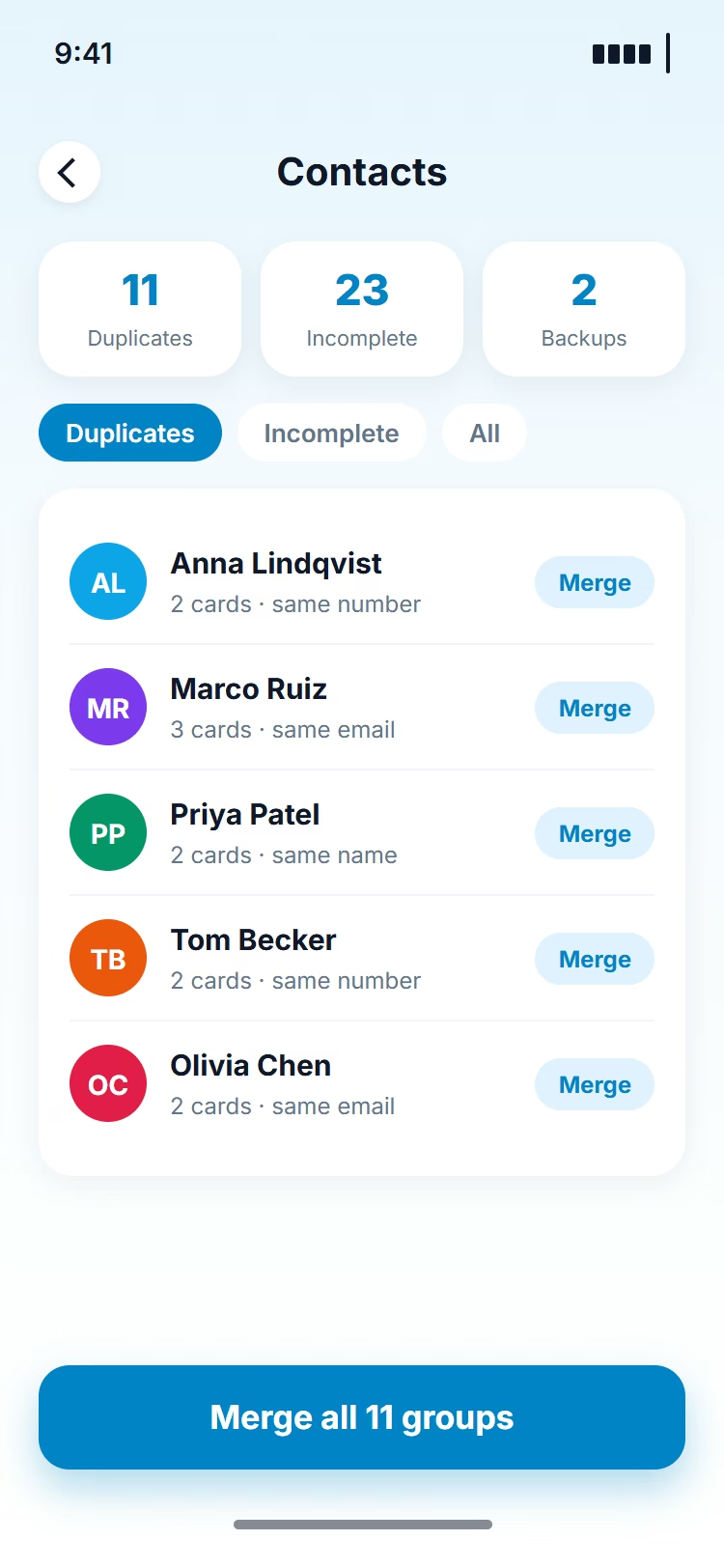
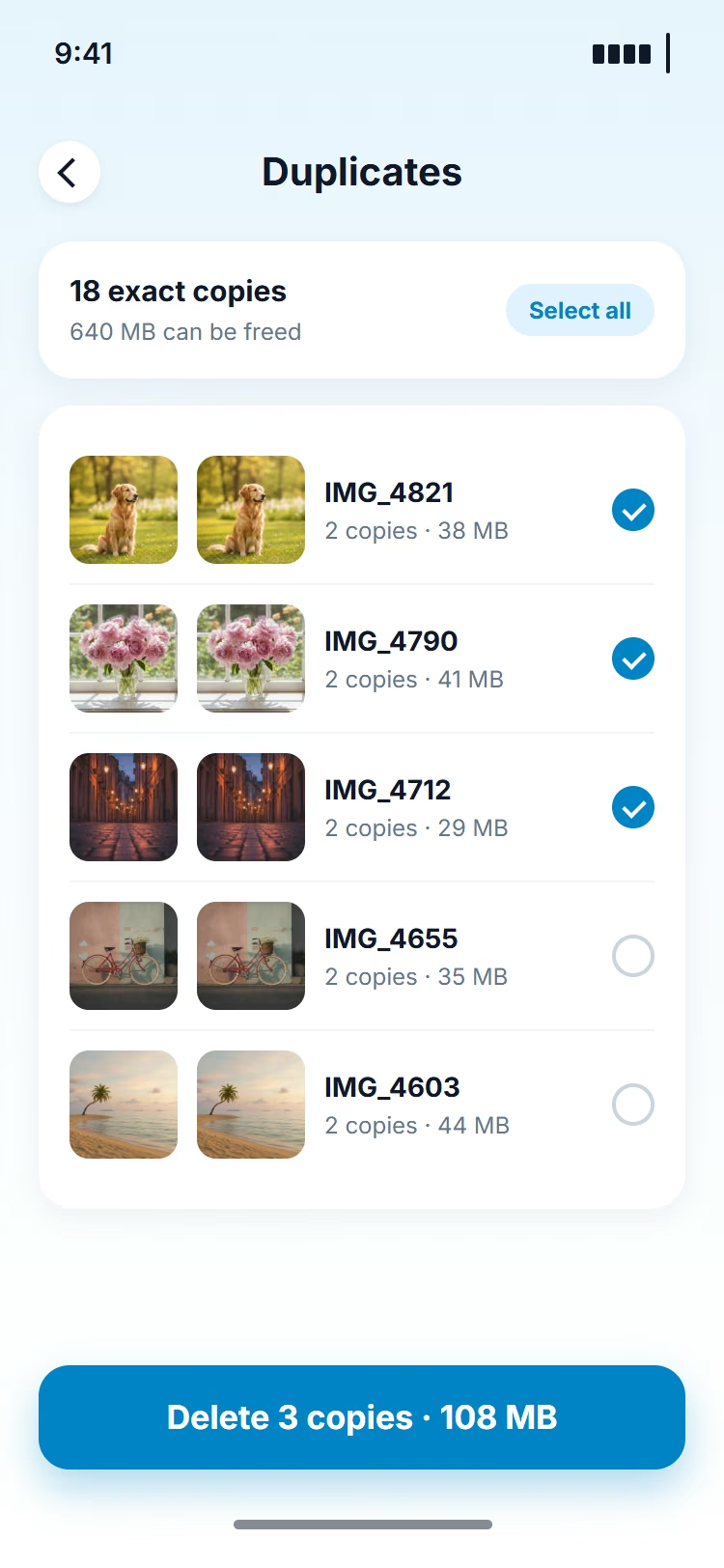
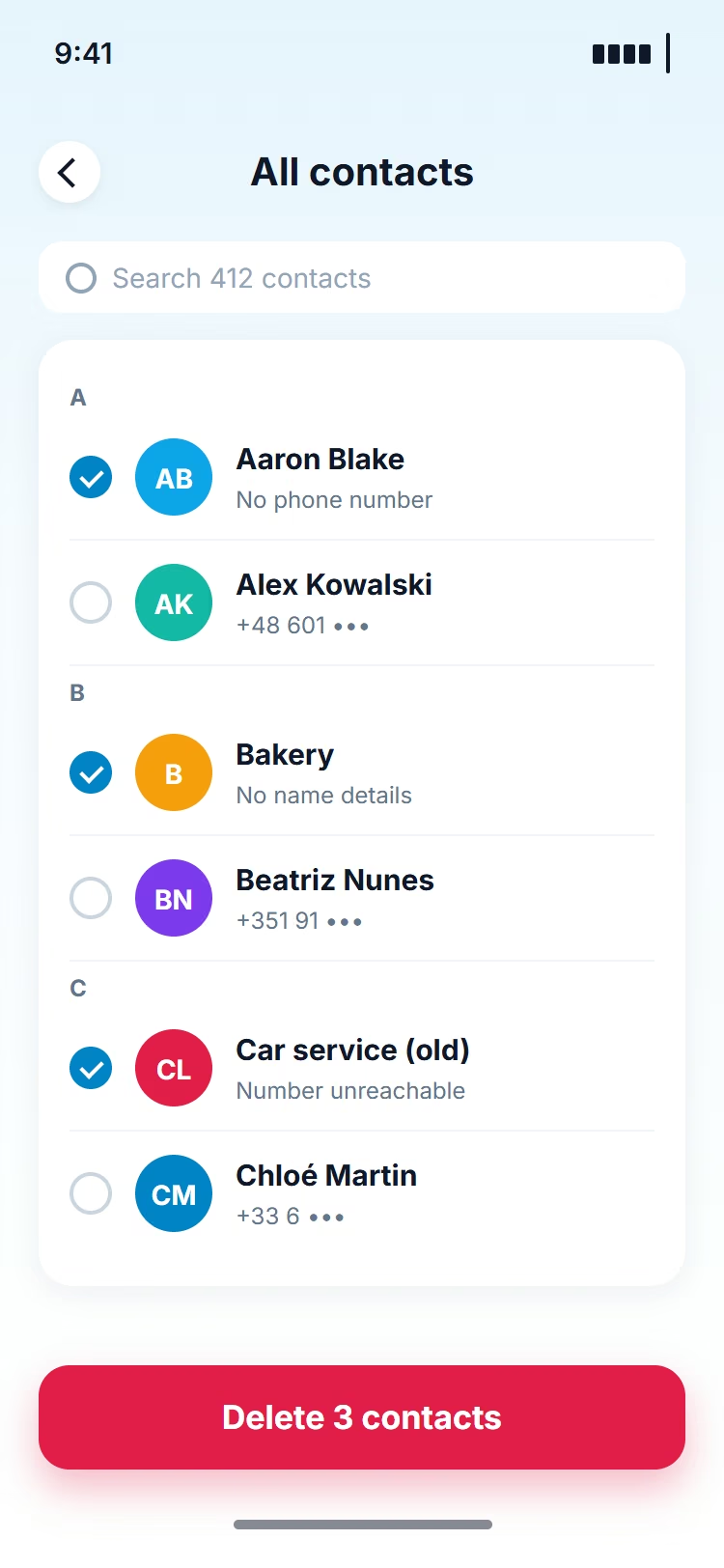
Three screens you will open most often: the Smart Check summary, the duplicates list and the contacts view.
- Smart Check shows used space and how much a cleanup would recover
- Look-alike photos sit side by side so you can pick the best one
- Duplicate and incomplete contacts are fixed from a single list
- Location and camera metadata can be removed before sharing
Permissions
What the app asks for, and why
Each permission maps to one feature. Decline it and only that feature stays off.
-
Photo Library
Needed to compare photos, compress them, remove metadata and move selected ones into Secret Folders.
-
Notifications
Optional. Used for scan reminders and account messages, nothing promotional.
-
Contacts
Needed to find repeated or incomplete entries and merge them in place.
-
Photo Metadata
Reading EXIF data lets the app show and strip location and camera fields from a photo.
Your data
Processing happens on the device You decide what is deleted
-
Local processing
- Photos and contacts are analysed by the app on the phone itself
- No photo, contact or metadata is uploaded to Secure Clean servers
-
Nothing is removed on its own
- Every suggested item waits for your tick before it is deleted
- Scans cover only the albums and contact groups you allow
Premium access
The full toolkit of Secure Clean
Three days for $3.99, then a monthly plan. Cancel any time with one email.
- Photo Cleanup: near-identical shots, duplicates and screenshots
- Photo Compression: smaller files, same photos
- Contact Cleanup: repeated and incomplete entries
- Metadata Cleaner: location and camera data removed
- Secret Folders: PIN-locked photo vault
- Smart Check: one-tap storage report
How it works
Three steps to get started
Premium is bought on this website. The App Store only delivers the app.
- 1Request the 3-day trial and pay $3.99
- 2Receive your account details by email
- 3Sign in to the app and switch on the Premium tools
The trial costs $3.99 for 3 days, then $39.99 per month until you cancel. Cancel before the next billing date and nothing more is charged.
Pricing
Pick a plan
Three plans, the same six tools. Every plan renews on its own until you cancel it.
-
Get Monthly
Monthly
$1.33 per day
$39.99
per month
Renews at $39.99 per month until cancelled
- Photo Cleanup
- Contact Cleanup
- Metadata Cleaner
- Photo Compression
- Secret Folders
- Smart Check
-
Try it first
Start Trial $3.99Trial + month
$1.33 per day
$3.99
for 3 days
Then $39.99 per month until cancelled
- Photo Cleanup
- Contact Cleanup
- Metadata Cleaner
- Photo Compression
- Secret Folders
- Smart Check
-
Get Weekly
Weekly
$1.43 per day
$9.99
per week
Renews at $9.99 per week until cancelled
- Photo Cleanup
- Contact Cleanup
- Metadata Cleaner
- Photo Compression
- Secret Folders
- Smart Check
Subscription and renewal terms. The 3-day trial costs $3.99 and then renews at $39.99 per month. Monthly plans renew at $39.99 per month, weekly plans at $9.99 per week. Every plan renews automatically until cancelled. Cancel before your next billing date to avoid the next charge.
Account access. After payment we email you a password for your personal account. Use it to sign in to the app. To change or cancel the plan, write to us.
FAQ
Common questions
Trial plus month ($3.99 for 3 days, then $39.99 per month), weekly ($9.99 per week) and monthly ($39.99 per month). All three unlock the same tools.
Yes. Photo Cleanup and Contact Cleanup work in the free app. Metadata Cleaner, Photo Compression, Secret Folders and Smart Check need Premium, which is sold only on this site.
Write to contact@theinstictdietbook.com from the email you paid with, and we cancel the plan. Do it before the next billing date to avoid the next charge.
The first subscription you buy here is covered by a 30-day money-back guarantee. Other cases follow the Refund Policy and your consumer rights.
Near-identical and duplicate photos, screenshots, large photos that can be compressed, repeated or incomplete contacts, and location and camera metadata inside photos.
No. The app only lists candidates. Nothing is removed until you select it and confirm.
Secure Clean runs on recent versions of iOS. The App Store page shows the exact iOS version and storage the app needs before you install it.
Clear it today.Keep it clear.
Free up storage, sort photos and contacts, and stop the “Storage almost full” banner from coming back.
3-day trial for $3.99 · then $39.99 per month until cancelled
